
Download MAX Tray Player – Multimedia Player, Compact Toolbar, Drag-and-Drop Playlists, Wide Format Support
Overview
MAX Tray Player is a compact multimedia solution designed for users seeking seamless audio and video playback without disrupting their workflow. The app functions as a lightweight media player that integrates into the system tray, enabling users to maintain focus on other tasks while enjoying their favorite music or videos. It is particularly useful for individuals who frequently multitask—such as students, remote workers, or content creators—requiring continuous playback without screen clutter.
By minimizing to the system tray, MAX Tray Player allows users to keep their media playing in the background while navigating documents, browsing the web, or managing multiple applications. This makes it a practical tool for productivity-focused environments where screen real estate and distraction-free operation are essential. The app supports a wide range of audio and video formats, ensuring compatibility with most personal media files without requiring additional codecs.
Although the developer did not provide additional technical details, the app’s longevity—released in 2011—suggests a stable and reliable core functionality. Its continued relevance indicates a strong user base that values simplicity, efficiency, and minimal interface design. In the broader context of multimedia tools, MAX Tray Player occupies a niche role as a utility for those who prioritize background playback and system integration over advanced visual features.
Key Features & Functionality
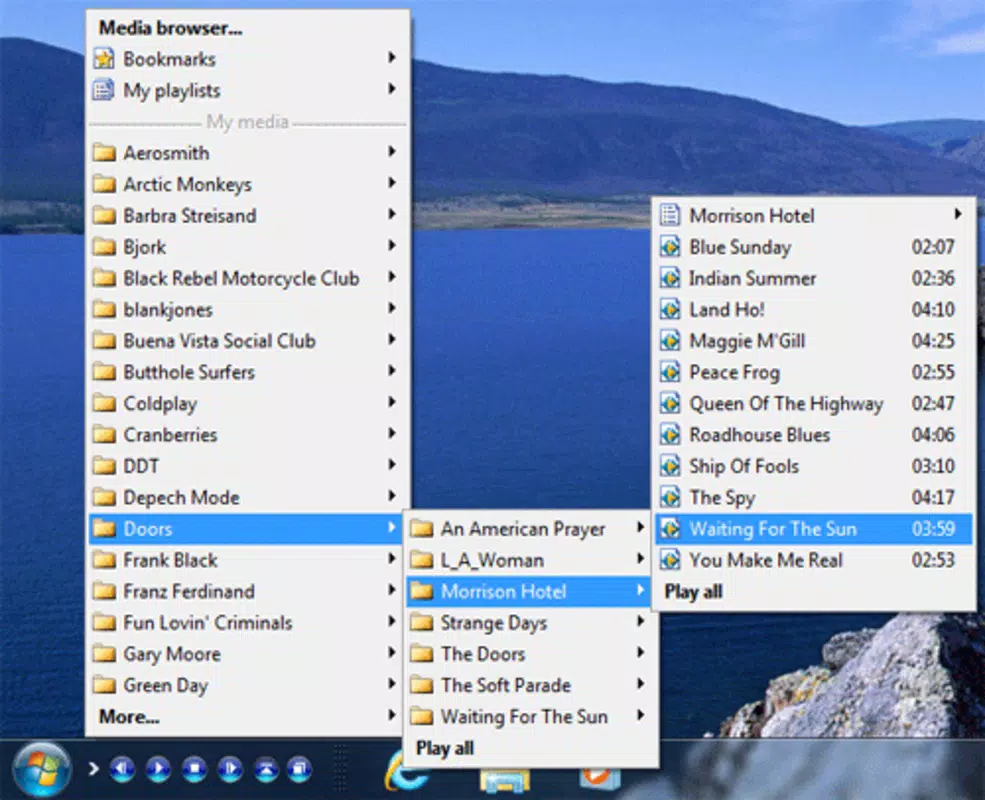
- Compact Toolbar Design: The player operates as a small, unobtrusive toolbar that remains accessible from the system tray. This design allows users to play media without opening a full window, preserving screen space for other tasks.
- Popup Access Options: Users can quickly access playback controls through a popup interface, enabling fast navigation and control without interrupting ongoing work.
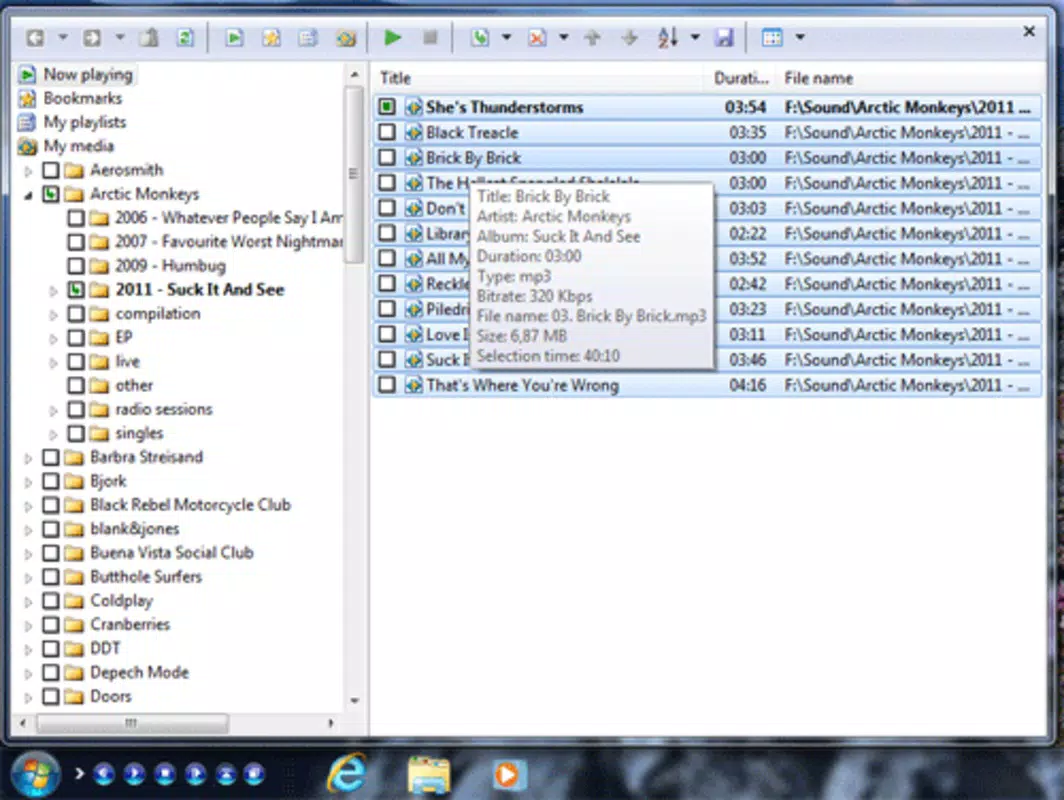
- Drag-and-Drop Playlists: The app supports intuitive playlist creation by simply dragging files into the player window, streamlining the process of organizing music or video collections.
- Wide Format Support: MAX Tray Player is compatible with common formats such as MP3, AVI, and WMA, reducing the need for external software to play various media files.
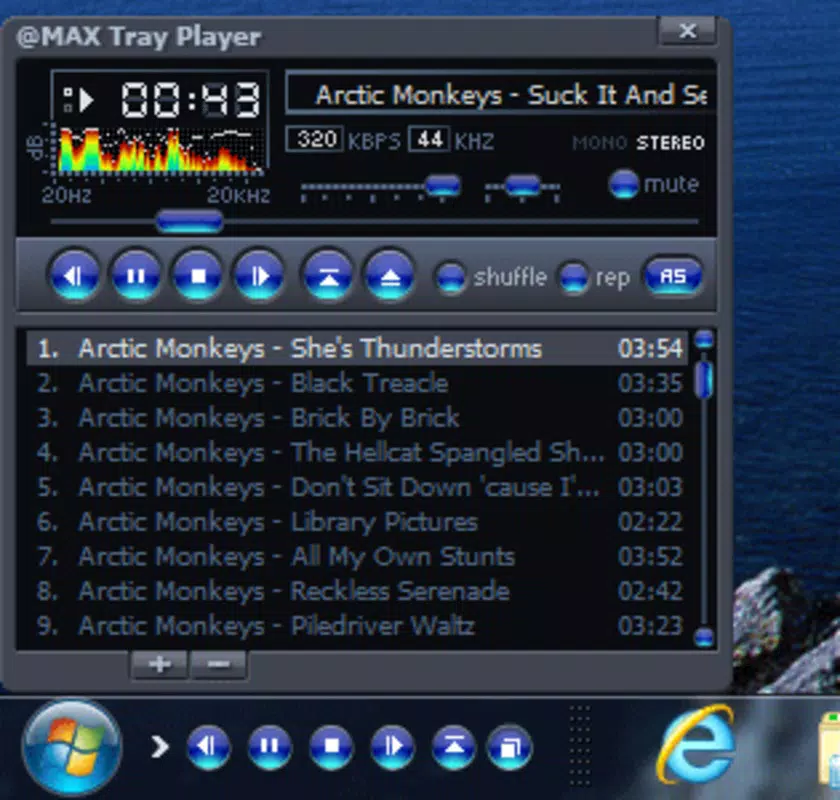
- Adjustable Transparency: The playback window’s transparency can be customized, allowing users to balance visibility of media details with minimal visual interference.
For example, a user working on a spreadsheet can keep a playlist of background music playing via the tray icon. When they need to skip a track or adjust volume, a quick popup provides full control. Similarly, a video editor can play reference clips without blocking their editing workspace. These use cases highlight the app’s value in real-world productivity scenarios.
Interface, UX & Performance
The interface of MAX Tray Player is intentionally minimal, focusing on functionality over visual flair. It adopts a streamlined layout with essential playback controls—play, pause, skip, volume—accessible through the system tray or popup menu. Navigation is straightforward, with no complex menus or layered settings, making it suitable for users of all experience levels.
Visual style leans toward simplicity, with a clean, monochrome or low-contrast design that avoids distracting the user. The transparency feature further enhances this by allowing the media display to blend into the background. Although the developer did not list formal performance metrics, the app’s lightweight nature suggests efficient memory usage and low CPU load, which is crucial for older or less powerful systems.
Responsiveness is maintained through direct access to controls, ensuring smooth playback and quick reaction to user input. Stability appears consistent, given the app’s long-standing presence. However, compatibility with modern operating systems may vary, as no specific requirements were listed. Users on newer platforms should verify functionality through testing.
Platform Compatibility & Technical Requirements
MAX Tray Player is designed for desktop environments, with no information provided on specific operating system versions or hardware requirements. The app’s file size is not disclosed, but its compact design implies a lightweight footprint. The developer did not specify minimum OS requirements, so users should exercise caution when installing on newer systems.
Although the app was released in 2011, it may still function on current platforms, though performance and compatibility are not guaranteed. Users should ensure their system supports legacy applications and consider running the app in compatibility mode if issues arise. No official support for mobile platforms such as Android or iOS has been indicated.
Pros and Cons
Pros
- Minimal interface that saves screen space
- Background playback without full window interference
- Intuitive drag-and-drop playlist creation
- Supports common audio and video formats
- Adjustable transparency for personalized viewing
Cons
- No information on compatibility with modern OS versions
- Developer did not provide technical specifications
- Limited visual feedback or advanced playback features
- May require compatibility mode on newer systems
- No official mobile version available
FAQ
Is MAX Tray Player free to download?
Yes, MAX Tray Player is available for free. It does not require a paid subscription or in-app purchases.
Can I use MAX Tray Player on mobile devices?
There is no official mobile version of MAX Tray Player. The app is designed for desktop operating systems and is not available on Android or iOS.
Does MAX Tray Player support MP3 and video files?
Yes, the app supports common audio and video formats, including MP3, AVI, and WMA. This allows users to play most personal media files without conversion.
How do I create a playlist in MAX Tray Player?
Playlists can be created using drag-and-drop. Simply drag your desired audio or video files into the player window to add them to a playlist.
Is MAX Tray Player safe to install?
As a long-standing utility, MAX Tray Player is generally considered safe. However, users should download it from official or trusted sources to avoid potential security risks.
Final Thoughts
MAX Tray Player remains a niche yet valuable tool for users who prioritize background playback and minimal interface design. Its compact toolbar, drag-and-drop functionality, and broad format support make it a reliable companion for multitaskers and media enthusiasts alike. While it lacks modern features and may face compatibility challenges on newer systems, its core functionality continues to serve its intended purpose effectively.
For those seeking a lightweight, distraction-free way to enjoy music and videos while working, MAX Tray Player offers a proven solution. Its simplicity, efficiency, and long-standing presence in the utility space underscore its enduring value.
Download MAX Tray Player now


